 Rotovo
Known routes
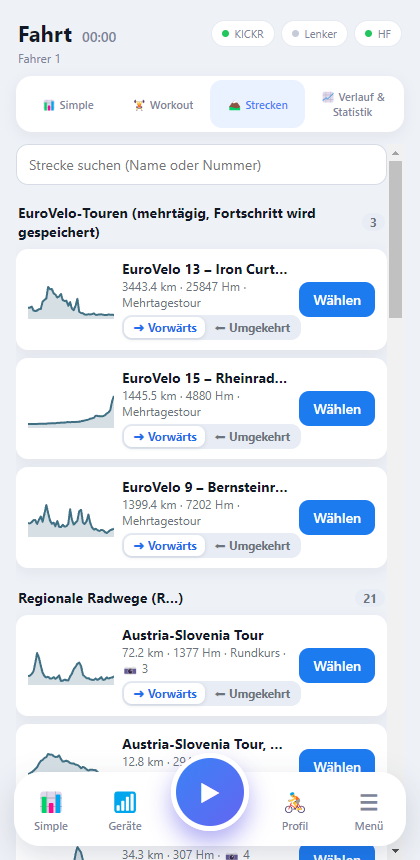
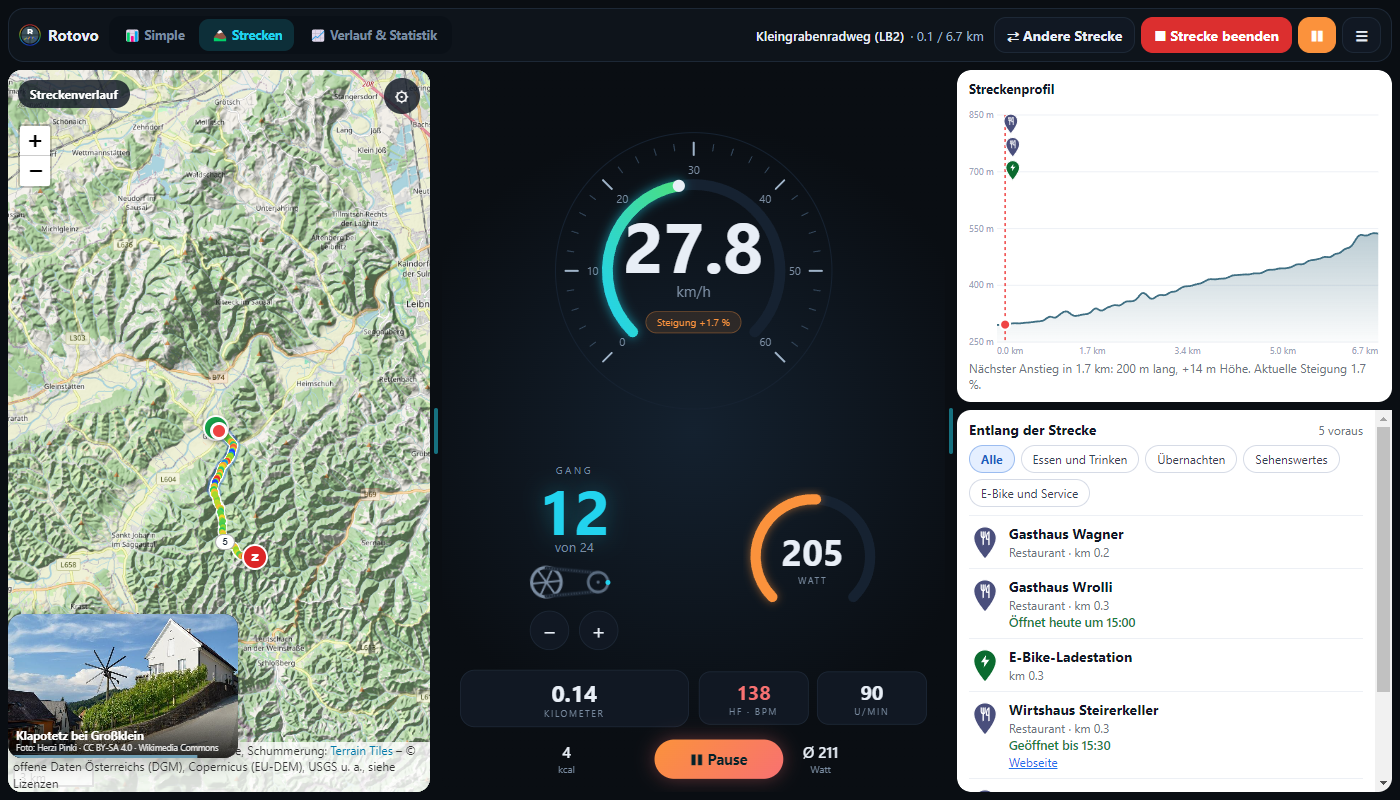
Over 100 real cycling routes from Styria and Slovenia plus EuroVelo tours. The gradient on your trainer follows the elevation profile; photos and places accompany you.
Rotovo connects your trainer, heart-rate strap and Zwift controller over Bluetooth. 24 virtual gears (adjustable), over 100 real cycling routes with automatic gradient plus your own routes via GPX import, 50 workouts with target power, a clean Simple view, profiles, history and statistics – no account, no cloud.
Android and Windows · licence €15.00 per year incl. updates – only €10.00 in the first year for the first 100 subscriptions · import and ride your own GPX files · iPhone version in preparation. The app interface is currently in German.Shifting, routes, photos of the surroundings, workouts and statistics – live from the app (79 seconds).
The recordings show the real app with simulated trainer data. Narration is in German – English subtitles are on by default (CC button). The video only loads when you press play (15 MB). The narrator voice is synthetic (Piper, voice “Thorsten”, CC0).
Rotovo is made for training on a smart trainer: clear numbers, quick controls, a reliable connection.
Over 100 real cycling routes from Styria and Slovenia plus EuroVelo tours. The gradient on your trainer follows the elevation profile; photos and places accompany you.
24 gears (adjustable), the way you know it from Zwift. The gear changes the resistance – not the gradient, which you set yourself or which follows the route.
Power, heart rate, cadence, speed, gradient, distance and calories at a glance. Values are smoothed to your liking so nothing jitters.
Interval training from 20 to 50 minutes with target power: the trainer holds the watts (ERG), you pedal. Every workout can be adjusted, you can create and save your own – and the rides count in your statistics.
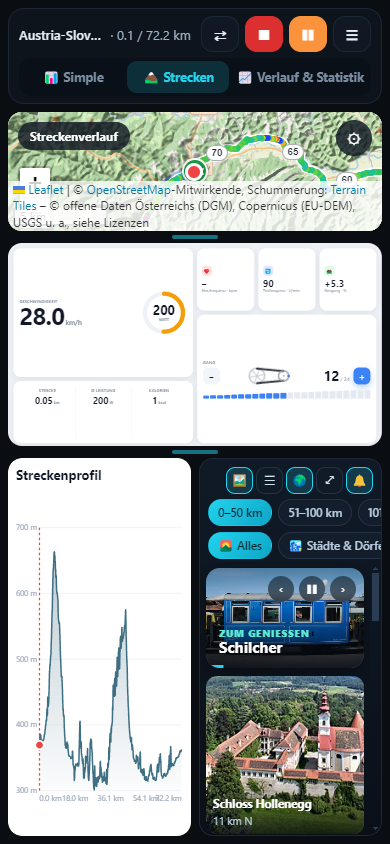
Cockpit, LCD or Modern – switch any time, even while riding. Each layout fills the window, whether phone, tablet or large monitor. On a route, your layout sits in the middle, the map on the left and the route profile on the right.
Zwift Click, Play or Ride: every button can be assigned freely – shift, gradient, start/pause or switch layout.
Several rider profiles, optionally with weight, FTP and maximum heart rate. Analysis by day, week, month and year – kilometres, calories, watts and more.
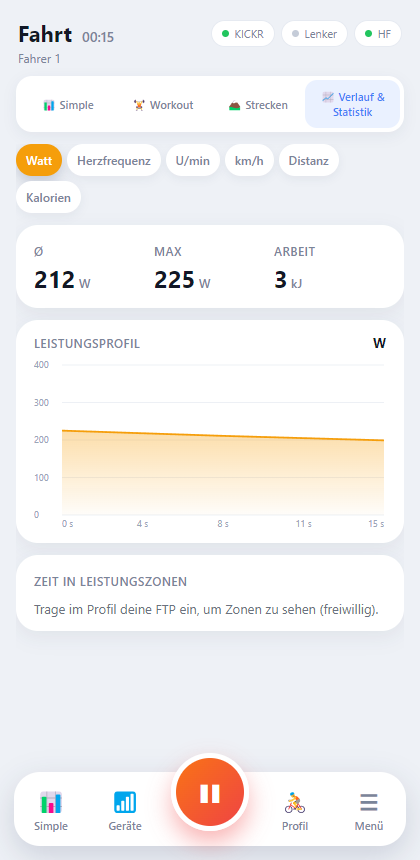
Watts, heart rate, cadence, speed, distance and calories as charts – live and for every saved ride, with time in power and heart-rate zones.
If Bluetooth drops, Rotovo reconnects on its own and remembers your gradient. The ride is saved continuously.
No account, no ads, no tracking. Profiles and rides are stored only on your device.
Metric or imperial – speed, distance and all statistics adapt.
24 virtual gears (adjustable) change the resistance on your trainer, just like a different gear ratio at the pedals.
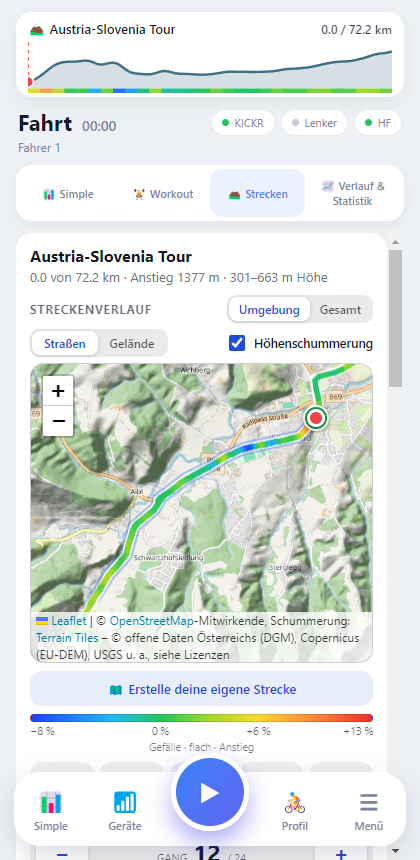
Pick a real cycling route and your trainer rides it with you: the gradient automatically follows the elevation profile while you keep shifting with the gears.
Route lines and places: © OpenStreetMap contributors (ODbL), elevation: Copernicus DEM, photos: Wikimedia Commons. All routes are also available as GPX downloads.
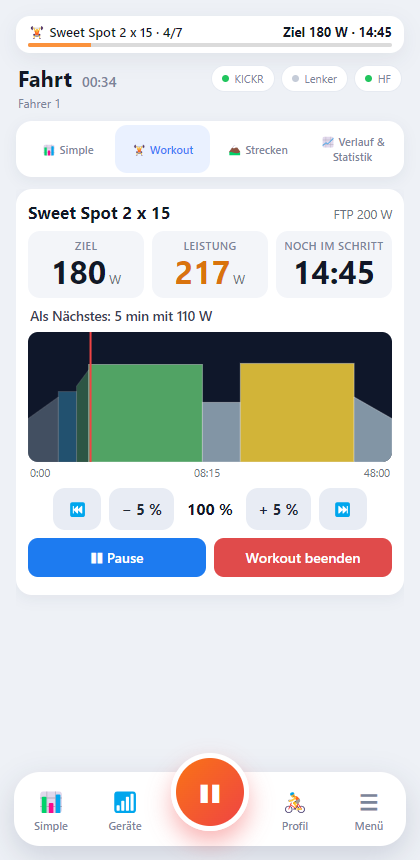
Besides free riding and routes there is the “Workout” tab: 50 ready-made sessions with target power, from an easy spin to VO2max intervals.
While you ride, Rotovo shows the region at its best: facts about the area, matching the point where you are on the route right now – entirely inside the app, no internet needed.
Texts: Wikipedia (CC BY-SA 4.0, shortened) – link, authors and licence are shown with every entry; the texts are in German like the app. Rotovo loads nothing from the internet and sends no data.
Switch between the views any time – even while riding. Your choice is remembered per profile.
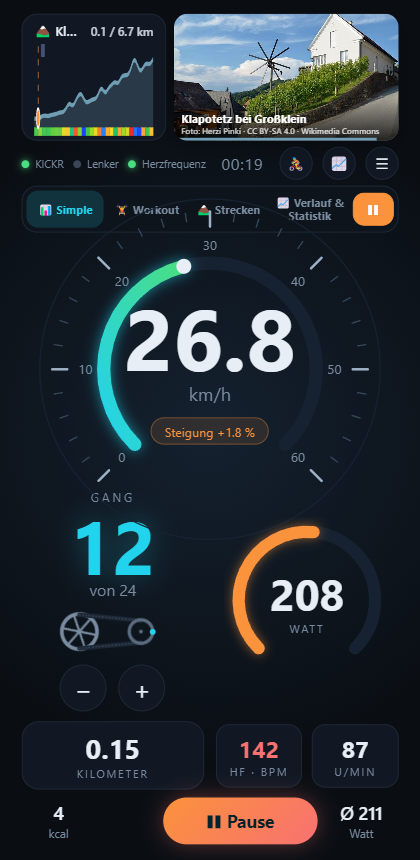
Dark, large speedometer, gear with sprocket graphic.
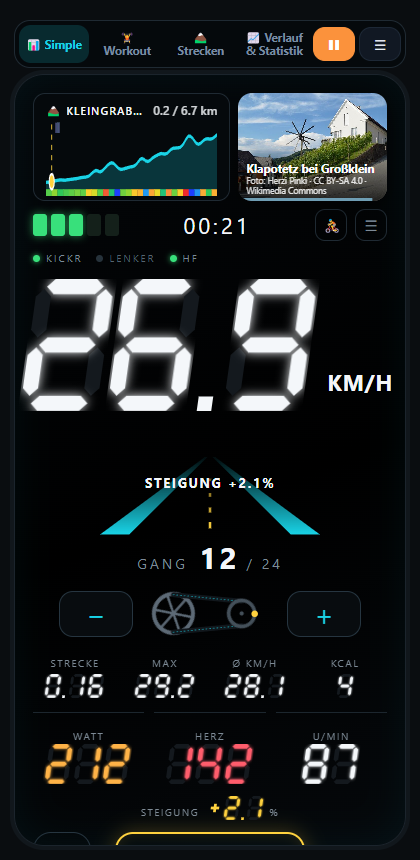
Seven-segment digits and a road lane that tilts with the gradient.
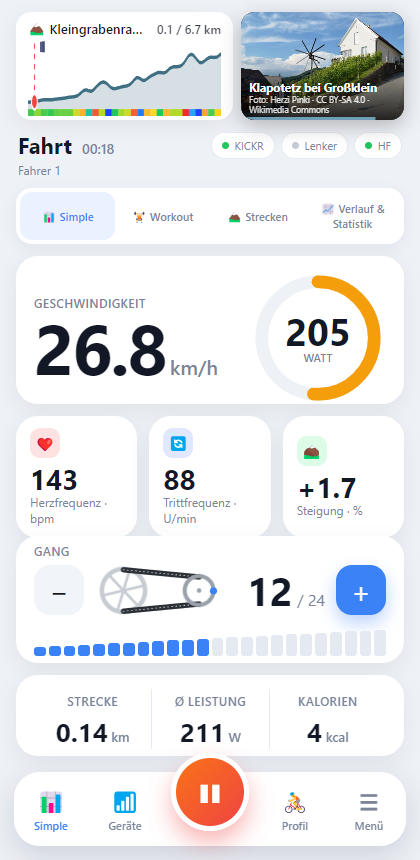
Light and tidy, with its own tab for charts.
Every ride is recorded. Choose between watts, heart rate, cadence, speed, distance and calories – and page through days, weeks, months and years.
Rotovo is available as a Windows program and as an Android app – with the same interface and the same features. On a large screen the layout uses the whole area.
The connection runs over Bluetooth; no extra adapter and no Zwift app are needed.
Rotovo is an independent product. Wahoo, KICKR, Zwift, Zwift Click, Ride and Play are trademarks of their respective owners; Rotovo is not affiliated with these companies.
Rotovo is a paid app: one-year licence including updates – and you can import and ride your own GPX files. The links will be activated here as soon as the apps are published.
Rotovo is a paid app. You buy a licence for one year (a subscription: it renews automatically for a further year and can be cancelled at any time), all updates during that time are included, and there are no hidden extra costs. You can import and ride your own GPX files at any time. The licence costs €15.00 per year (including VAT); for the first 100 subscriptions the launch price of €10.00 applies in the first year, after that €15.00 per year. For purchases directly via rotovo-app.com the terms and conditions apply, including a 14-day right of withdrawal for consumers where provided by law.
No. Rotovo works on its own and connects directly over Bluetooth to your trainer, strap and controller. You need neither a Rotovo account nor a Zwift account or subscription.
The licence is valid for one year from conclusion of the contract or start of the download and includes all updates during that time. After that it renews automatically for a further year at the price then valid of €15.00 per year (also for the first 100 subscriptions, whose first year costs €10.00) unless you cancel. You can cancel at any time with effect from the end of the term (link in the confirmation email, ideally at least 48 hours before the term ends). We announce price changes in advance. Details: terms, section 3.3.
A workout is a session made of steps with a target power, e.g. 4 × 4 minutes hard. In ERG mode the trainer sets the resistance so that your power matches the target – regardless of gear and cadence. Rotovo includes 50 workouts (20 to 50 minutes); the watts follow the FTP in your profile. You can adjust every workout or create your own.
You shift between 24 gears (you set the ratios yourself in the gear editor) like on a bike. Rotovo simulates the gear ratio by adjusting the trainer's resistance and air resistance. The gradient is unaffected; you set it separately or it follows the route.
Newer controllers (Click V2, Ride V2) only send button presses permanently if they have been unlocked once by the official Zwift app. Rotovo explains the steps and can refresh the connection to the controller at adjustable intervals if it has not been unlocked yet.
The Wahoo KICKR Core V2 is tested. Trainers that support the Bluetooth standard FTMS (Fitness Machine Service) should work as well. If your trainer doesn't, write to us – we'll take a look.
Only on your device. Profiles (name, optionally weight, FTP, maximum heart rate) and rides never leave your device: the app does not connect to the internet and sends no data (the only exception is the licence check of the Windows sales version). Details are in the privacy policy.
The app interface is currently in German. This English site describes Rotovo for riders abroad; an English interface is planned.
The iPhone version is in preparation. As soon as it is available, it will be listed here.
While riding, Rotovo should stay in the foreground (the screen stays on automatically). Otherwise Android throttles Bluetooth and timers. If you do switch away briefly, your ride is saved immediately.